Official preset
Easy C-major chords
A forgiving Gesture Synth setup with major triads locked in, so finger count selects the chord while your other hand shapes volume and tone.
C major · 96 BPM · 2 bars

Open Gesture Synth. Move your hands. Make music.
Gesture Synth
Camera and face tracking stay on this device.
Ready-to-play setups
Choose a ready-made setup while the instrument prepares, then play it immediately.
A forgiving Gesture Synth setup with major triads locked in, so finger count selects the chord while your other hand shapes volume and tone.
C major · 96 BPM · 2 bars
A slower Gesture Synth loop and minor seventh voicings make it easy to build an atmospheric progression one layer at a time.
D minor · 78 BPM · 4 bars
Gesture Synth maps one hand to continuous pitch and the other to volume, letting you play without fixed notes or chord shapes.
Theremin · 90 BPM · 4 bars
Gesture Synth runs on the browser tools already in front of you
What it is
Gesture Synth translates natural hand motion into a playable, recordable performance without hiding the music behind setup screens.
Gesture Synth follows both hands in real time, separating note choice from volume, tone, and expression.
Tap a two-octave piano with every fingertip, play scale-aware chords, shape continuous theremin pitch, play a six-hole air flute, or strike a six-piece air drum kit with natural hand movement.
Gesture Synth records layers to a beat grid, then lets you mute, solo, mix, and edit each track while playing.
Gesture Synth captures the camera canvas and synthesized audio together, then saves the finished performance from the browser.
Built beyond the demo
Unlike a one-sound gesture demo, Gesture Synth combines playable instruments, expressive visuals, loop production, and finished performance capture in one browser product.
A growing instrument library
Switch between instruments and musical styles, then play the next musical idea with the same camera-first setup.
Air Drums
Both index fingers control a six-piece virtual drum kit. Tap down to play, and strike faster for louder drum sounds.
Click either card to switch instruments
Replace the live camera view with Moon Panda, Ember Fox, Mint Lynx, or Nova Cat while the 3D face follows your expressions.

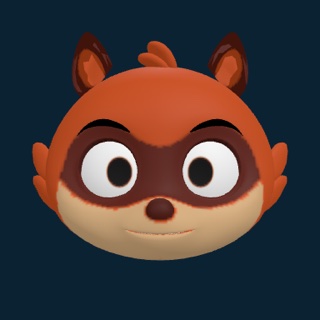
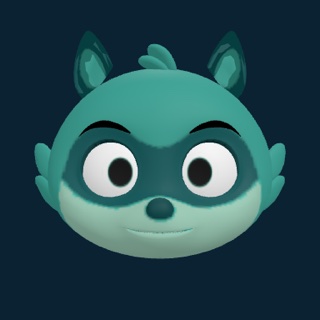
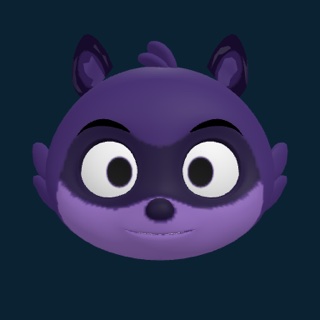
Gesture Synth already includes Gesture Piano, Gesture Chords, Air Theremin, Air Flute, and Air Drums. More instruments can join the same webcam performance workflow over time.
From movement to sound
Gesture Synth turns live camera input into musical decisions locally in the browser, then sends them straight to the audio engine.
Sources and ownership
Gesture Synth uses MediaPipe hand landmarks for movement input and the Web Audio API for real-time sound. The processing path stays inside the browser session.
“user permission is always required”— MDN Web Docs on camera and audio input
Three steps
With Gesture Synth, the whole path is simple: grant camera access, play, and layer the moments you want to keep.
Open the instrumentChoose a 3D avatar or your real camera view, press Start, then approve the browser camera request.
Tap piano keys with every fingertip, shape chords and theremin tones with both hands, or strike the air drum pads to play them directly.
Gesture Synth lets you build four loop tracks, edit the beat grid, and record the finished performance.
Practical answers about setup, privacy, gestures, and recording.
No. Gesture Synth runs in the browser with a webcam, speakers, and a modern desktop browser. There is nothing to install.
No. Hand tracking and sound generation run locally in the browser. The camera feed is used for the live instrument and is not uploaded by Gesture Synth.
Piano mode lets every fingertip tap a visible key with a downward motion. In Gesture mode, one hand selects scale degrees and chord shapes while the other controls volume and tone. Theremin mode maps one hand to pitch and the other to volume.
Yes. You can build four loop tracks, export the loop audio, or record the camera canvas and synthesized sound together as an MP4 performance. Older browsers that cannot record MP4 fall back to WebM.
A desktop or laptop with a webcam gives the most reliable playing space. Chrome or Edge is recommended; camera, Web Audio, and MediaRecorder support are required.
Your next instrument is already here
Use Gesture Synth with the webcam you already have to play, loop, and record a complete performance directly in your browser.
Start playingFree to use · No download required